
Inputs and outputs
With a 2-in, 2-out interface there is nothing to set: the guitar goes into input 1 and outputs 1 and 2 play the effects in stereo. An interface with more inputs and outputs gets them all, and the Routing page says what each one does:
- play a dry guitar, or the signal before the amp, on its own output, to reamp later or for the front of house;
- feed a second instrument (a bass DI, a synth) into the chain;
- send a different mix to the in-ear monitors.
Open it from ⋮ → Settings → Inputs and outputs → Routing. Changes are heard at once and kept; there is nothing to save. On a 480-pixel-high screen, scroll down to see the sends and returns of the preset.
Inputs
Section titled “Inputs”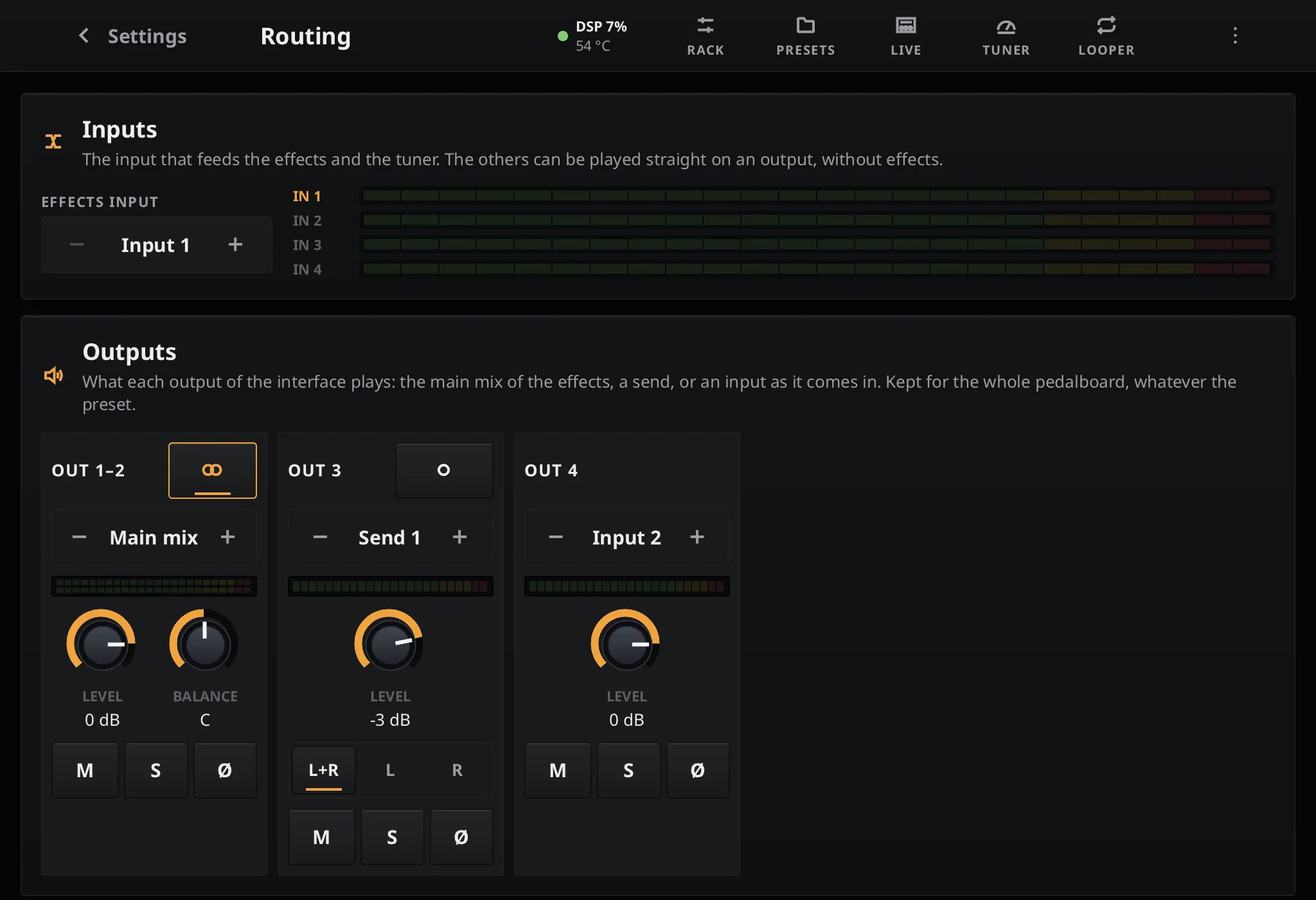
Effects input chooses the input that goes through the effects and the tuner, input 1 by default. Each input has its own meter. The other inputs are not processed, but they can be played on an output or brought into the chain by a Return block.
Outputs
Section titled “Outputs”Each output, or pair of outputs, has a card:
| Control | What it does |
|---|---|
| Source | Off, the Main mix of the effects, Send 1 to Send 4, or an Input played as it comes in, without effects |
| Stereo / mono (the button next to the name) | Joins an output and the next one into a stereo pair, or splits a pair into two outputs |
| Level | −60 to +12 dB |
| Balance | Left / right balance of a stereo pair |
| L+R / L / R | On a single output playing a stereo source: both sides summed, or one side only |
| M | Mute |
| S | Solo: while an output is soloed, only soloed outputs play |
| Ø | Flips the polarity, for a mic’d cabinet out of phase with the direct signal |
Level, mute and source changes are ramped over 10 ms, so they never click. When the tuner’s Mute while tuning is on, the effects and the inputs played straight through are muted while it is open.
The outputs belong to the rig, not to a preset: changing presets never changes the levels sent
to the front of house. They are kept in routing.json on the data partition.
Send and return blocks
Section titled “Send and return blocks”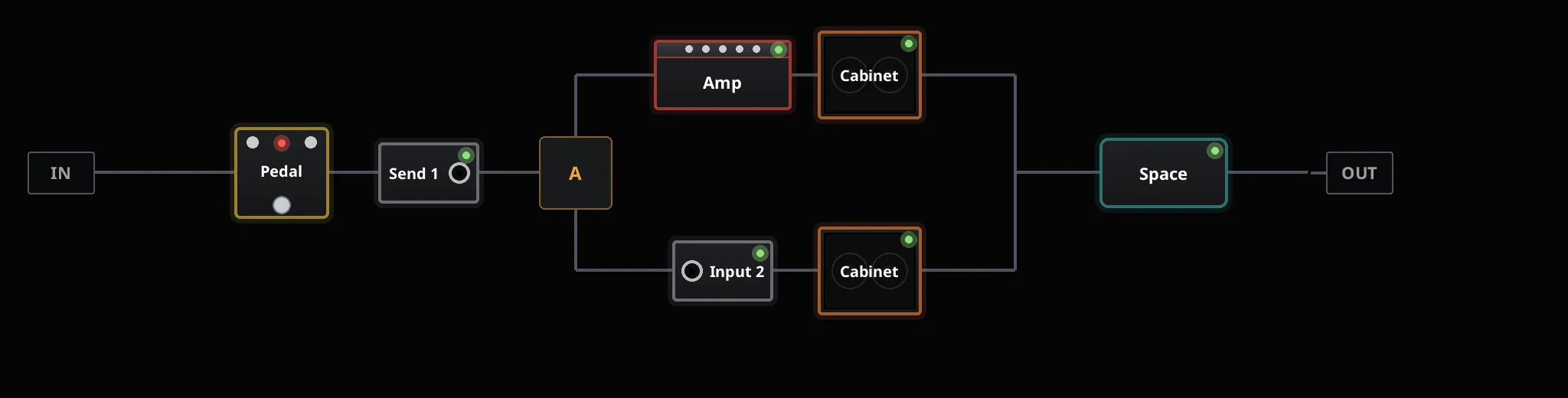
Two blocks of the rack, added from + like any other (family Routing, at the end of the list), take the signal out of the chain or bring an input in, wherever they are placed:
| Block | Controls | What it does |
|---|---|---|
| Send | Send (1 to 4), Level | Copies the signal at its place to a send, while the signal carries on through the chain. An output whose source is that send plays it. |
| Return | Input, Level, Mix | Brings an input of the interface into the chain. At 100 % mix, the default, the input replaces the signal: the blocks before it are no longer heard on that path. A lower mix blends the input in. |
The rack shows them as small jack plates named after their send or input: Send 1, Input 2. They are saved with the preset and can be bypassed or changed by scenes, like any block: a bypassed send stops sending, a bypassed return lets the signal through. Changes are ramped, so they never click.

A send placed in a branch of an A/B split is only heard while that branch is selected. During a preset change, the sends crossfade with the rest of the sound.
Examples
Section titled “Examples”Dry signal for reamping
Section titled “Dry signal for reamping”- Add a Send block just before the amp, set to Send 1.
- Set an output to Send 1.
That output now plays the guitar with its pedals but without the amp, ready to be recorded and reamped. Put the send at the start of the chain for a fully dry signal, or set the output to the guitar’s input instead.
Guitar and bass on one pedalboard
Section titled “Guitar and bass on one pedalboard”- Plug the bass into input 2.
- Add an A/B split: the amp and its cabinet on branch A, a bass cabinet on branch B.
- Add a Return block at the start of branch B, set to Input 2.
Switching the split to B, from a scene, a footswitch or MIDI, plays the bass through its cabinet and the blocks after the split. The branch that is not selected is not processed and costs nothing.
A reverb on its own output
Section titled “A reverb on its own output”Put the reverb alone in one branch of a Parallel mix split, turn its own mix to 100 % wet, and add a Send block after it, set to Send 2. The main mix still plays the guitar with the reverb, and an output set to Send 2 plays the reverb alone: for a wet / dry / wet rig, or a separate reverb channel at the desk.
Limits
Section titled “Limits”- At most 16 inputs, 16 outputs and 4 sends.
- The looper only records and plays the main mix.
- A preset made on a larger interface keeps its returns on inputs that are missing; those returns play silence until that interface is back.