
Backup and restore
A backup is one file with your presets, setlists, rigs, loops and settings. Use it before you write a new card, to move to another OpenRig, or to go back after a mistake.
Open ⋮ → Settings → Backup (the last card).
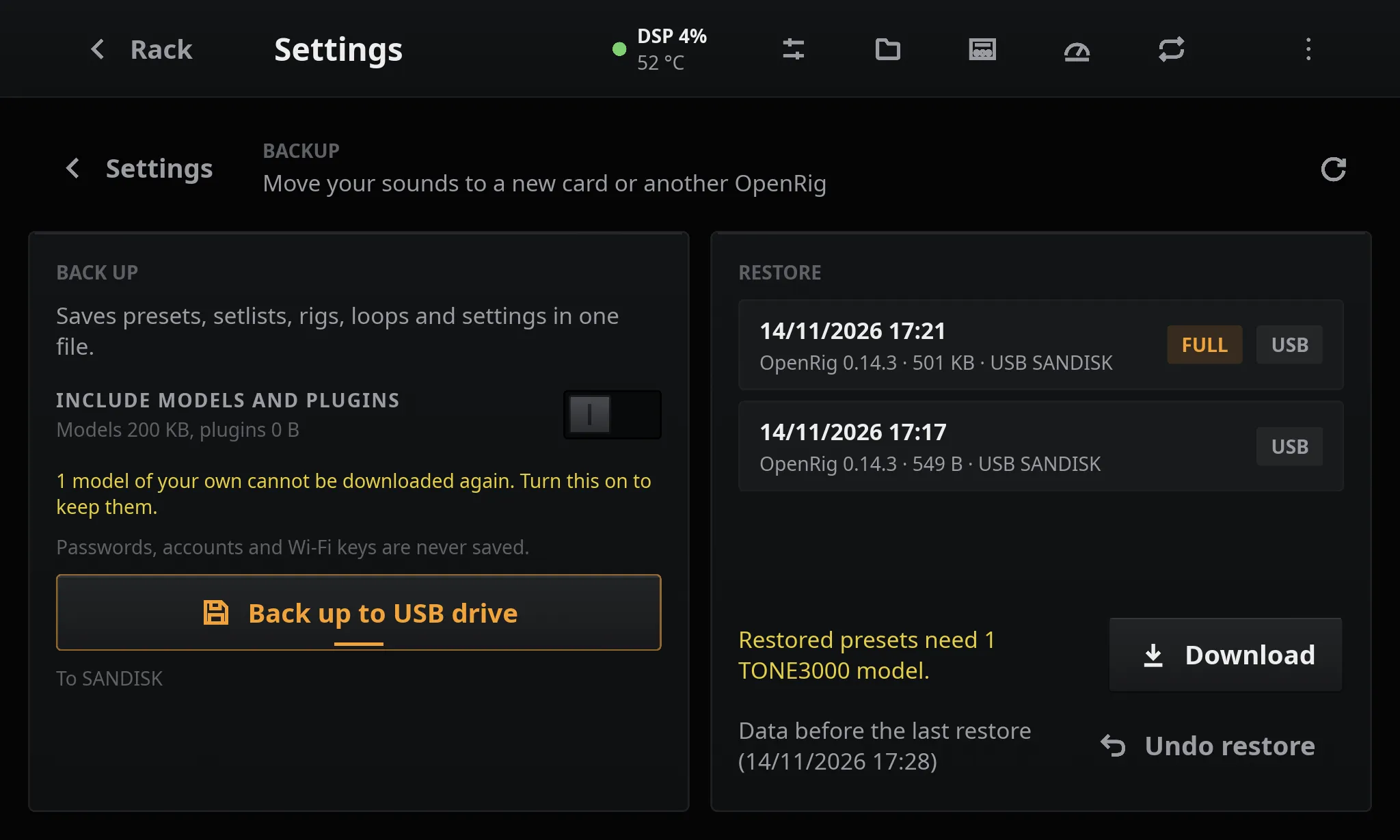
Back up
Section titled “Back up”Plug in a USB drive (FAT32, exFAT or ext4) and tap Back up to USB drive. The file,
openrig-backup-<date>-<time>.tar.gz, goes at the top of the drive. On an ext4 drive it goes
in the OpenRig folder, which the pedal makes for itself. Then tap Eject, under the
button, before you pull the drive out. Eject ejects only the drive the panel shows.
With no USB drive, the button reads Back up on the pedal: the backup stays on the pedal (the last 3 are kept). Download it from the remote control.
Include models and plugins adds your amp and pedal models, impulse responses and LV2 plugins. The file can then be large: the sizes show under the switch. Without them:
- plugins from the store and models from TONE3000 are listed in the backup, and the pedal downloads them again after a restore;
- models of your own and plugins you copied by hand cannot be downloaded again. The page warns you when you have some: turn the switch on to keep them.
Restore
Section titled “Restore”The Restore list shows the backups found on USB drives (USB) and on the pedal (PEDAL). FULL marks a backup with models and plugins. Tap one: OpenRig shows what it replaces and what it keeps, part by part.
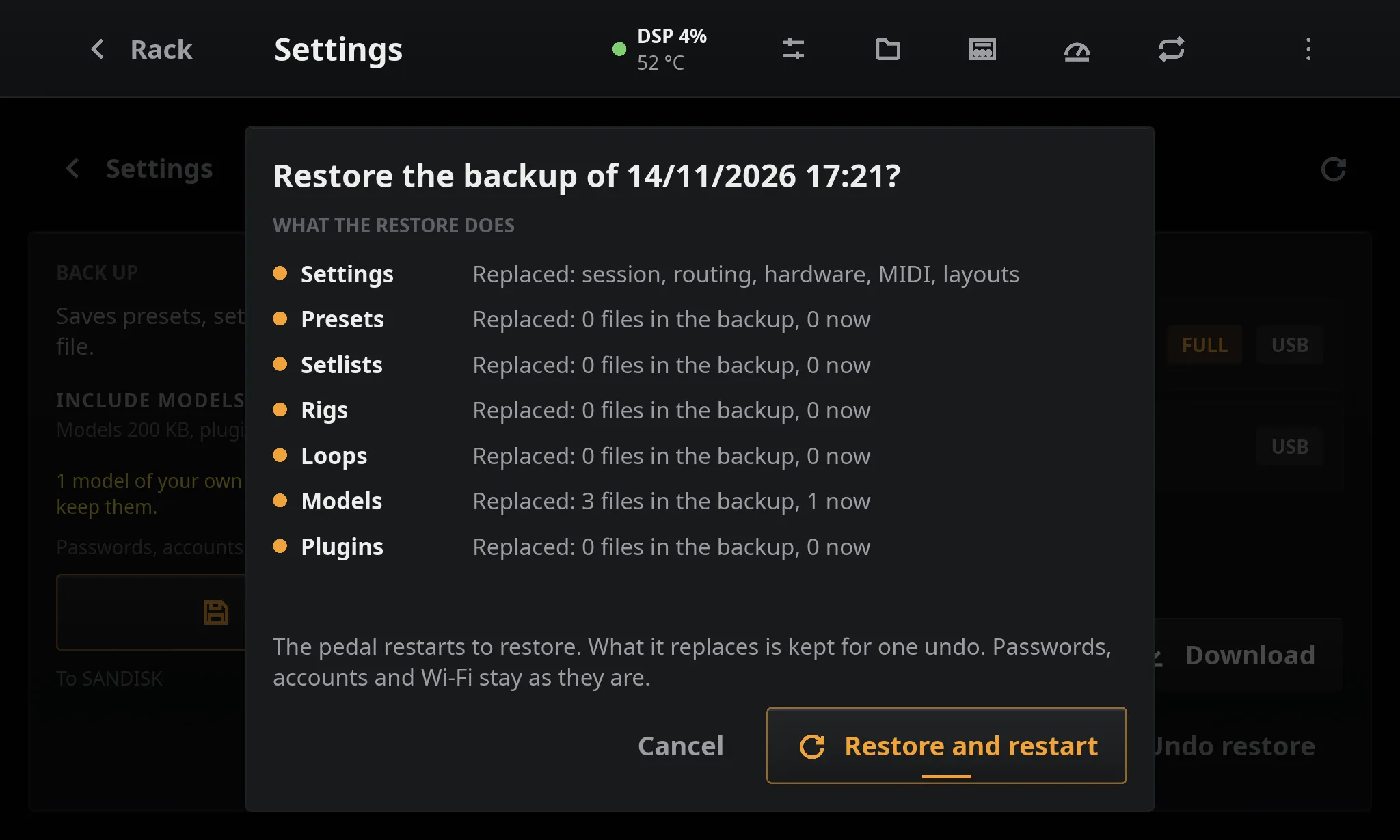
Restore and restart restarts OpenRig, which swaps the data before it loads anything. After the restart, a message says when the backup was made and what is left to download.
- Download (on the Backup page) installs the store plugins and TONE3000 models the restored presets need. It needs a network, and a linked TONE3000 account for the models.
- Undo restore brings back the data you had before the last restore. Undo again to go back to the restore.
OpenRig checks the whole file before it changes anything: a damaged file, or one with something unexpected inside, is refused and nothing changes. A power cut during a restore is safe: the next start finishes it.
Plugins are built for one kind of board. Restored on another (a Raspberry Pi backup on a mini PC), they are left out, and the dialog says so: download them again from the store.
From the remote control
Section titled “From the remote control”On the remote control, the Status tab has a Backup section:
- Download backup saves a backup on your phone or computer. Tick Include models and plugins for the large files.
- Restore sends a backup file to the pedal. The pedal checks it, then restarts to restore it.
A file sent or received this way is 512 MB at most. For larger backups, use a USB drive.
On a computer
Section titled “On a computer”The desktop app has the same page. USB drives are found where the desktop mounts them
(/media/<user>/ or /run/media/<user>/ on Linux, /Volumes/ on macOS). After a restore, the
app starts again by itself.